HortusFox
HortusFox documentation
Project maintained by hortusfox Hosted on GitHub Pages — Theme by mattgraham
Inventory
The inventory is useful if you want to keep track of all your items and tools that are needed to take care of your plants. Sometimes it can be quite a struggle to remember all things you bought or collected for taking care of your plants especially if you own a large number of plants. The inventory can assist you with this.
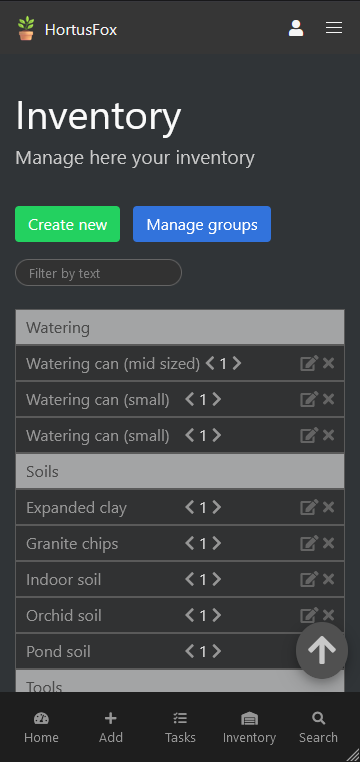
Items in your inventory are categorized by groups. So in order to add something to your inventory, you first need to add some groups. When adding groups you need to enter a token (which is mostly used to sort the inventory list in an ascending order) and the name of the group, e.g. “Tools”.
When adding a new item to the inventory you need to specify the following information:
- Name
- Group
- Preview photo (optional)
- Location (optional)
- Description (optional)
- Tags (optional)
- Initial amount
Afterwards items can be managed in the following way:
- Increment/Decrement item amount via the arrows
- Edit item via a dialog
- Show QR code for a particular item
- Delete an item
You can also click on an item to expand its view.
The following inventory-wide actions are also available:
- Create new item
- Manage inventory groups
- Print QR codes for an item selection
- Export inventory items via selection